
States
Timer Actions
A timer action operates a timer — start it, stop it, restart it, set its preset. The timer is named as a placeholder in the generic state; it is linked to a real timer instance when the state is used in a composite.
The dialog
Add → Timer Action asks for a Timer Name (the placeholder) and an Operation. The operation dropdown offers all six:
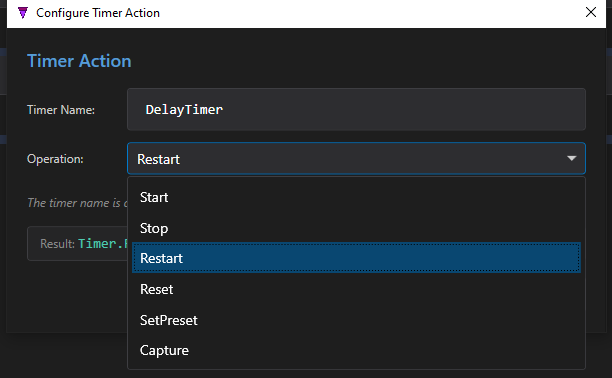
DelayTimer and the operation menu: Start, Stop, Restart, Reset, SetPreset, Capture.Timer.Start(DelayTimer) Timer.Stop(DelayTimer) Timer.Restart(DelayTimer) Timer.Reset(DelayTimer) Timer.SetPreset(DelayTimer, 5000) // preset in ms
The operations
| Operation | Effect |
|---|---|
Start | Begin timing (no-op if already running). |
Stop | Halt timing, keep the elapsed value. |
Restart | Reset to zero and start again. |
Reset | Reset to zero (stopped). |
SetPreset | Set the target time in milliseconds (literal or from a variable). |
Capture | Capture the current high-resolution time (ms) into a Time variable. |
The timer name is a placeholder. As the dialog itself notes, DelayTimer is just a name in the generic state. In the composite you bind it to an actual timer instance — and if none exists yet, you add one to the composite's Timers section first. See Composite Mapping.