
Global Variables in StateTick
Global variables are your program's shared memory — values that every part of your StateTick project can read and write. This tutorial covers what they are, the variable types available, and exactly how to create one.
What is a global variable?
A global variable is a named value that lives at the top level of your project and is visible everywhere — to every composite, FSM, condition and logic block. That is the difference from an interface variable, which belongs to a specific interface. Reach for a global when a value is genuinely shared across the whole machine: a run flag, a part counter, the current recipe, a temperature setpoint.
Global variables live in the Generic Composer → Global Variables page. Each one is a row with four columns: Name, Type, Size and Default Value.
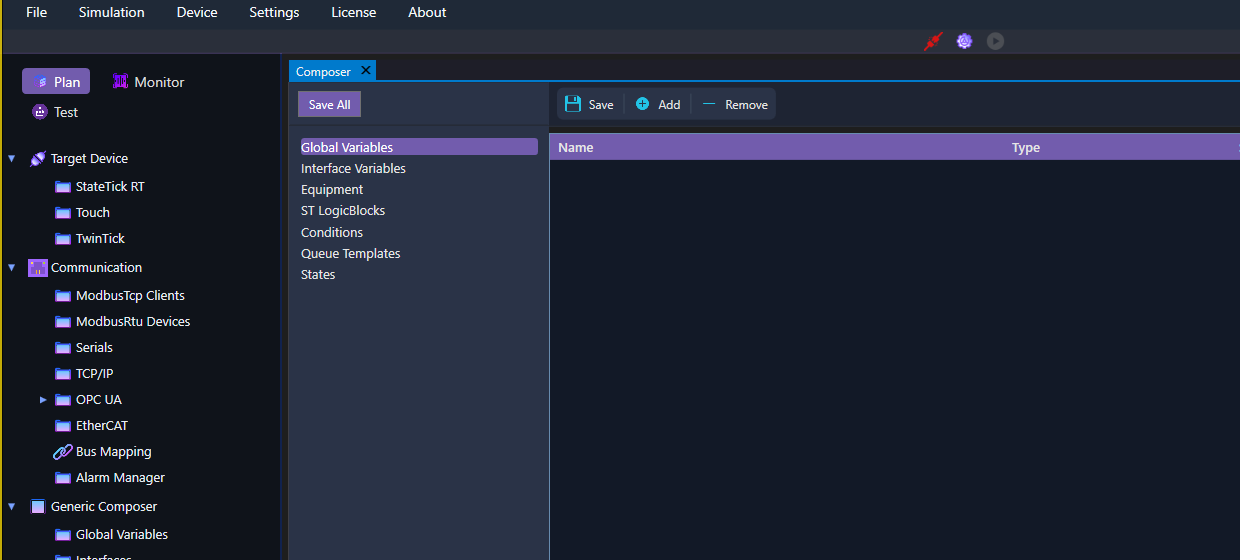
The types of global variable
StateTick offers 16 variable types, in four families. Scalars hold a single value; arrays and maps hold collections; a record groups mixed types into one structured value.
| Family | Types | Use it for |
|---|---|---|
| Scalar | Bool, Int, Double, String, Time | A single value — a flag, a count, a measurement, a name, a duration. |
| Array | Array:Bool, Array:Int, Array:Double, Array:String, Array:Time | A fixed-size, index-addressed list of one scalar type (set Size). |
| Map | Map:Bool, Map:Int, Map:Double, Map:String, Map:Time | A key → value dictionary whose values are one scalar type. |
| Record | Record | A structure grouping several named fields of mixed types. |
Note: arrays and maps use the Size column. For a map, adding the type is not enough — you must add the keys and their default values, or the build reports default value is required. A record's fields are edited in its own dialog.
How to create a global variable
Creating one takes four fields and a save:
- Open Generic Composer → Global Variables in the left sidebar.
- Click + Add. A new row appears, defaulting to a
BoolnamedNewGlobal.

- Double-click the Name cell and type a clear name, e.g.
MachineRunning. - Pick a Type from the dropdown (one of the 16 above). For an array or map, set Size too.
- Set the Default Value. Select the row first, then edit the cell — e.g.
falsefor a Bool,0for an Int,25.5for a Double.
Repeat for each variable you need. A handful of typical globals looks like this:

Save
Click Save to persist the Global Variables page (or Save All for the whole project). Your globals are now available to bind from any composite, condition or FSM in the project.
Try it in StateTick
Model your machine's shared state with global variables, then wire them into your control logic.
Get Started →