
The Variable Picker
Double-clicking an empty term box opens the Variable Picker — a tree of everything a term can be. It is the single place you choose equipment signals, globals, and the placeholder functions.
Where it comes from
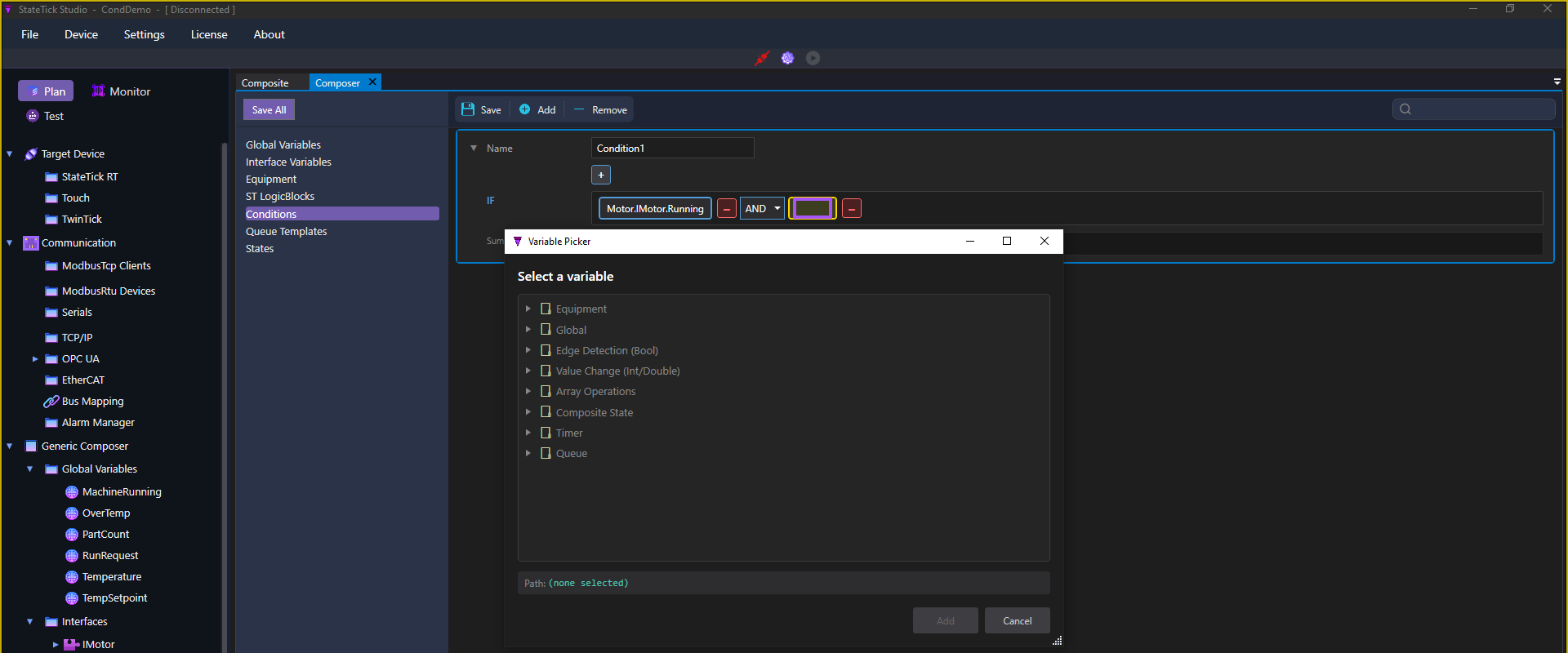
In the condition editor, double-click the empty term box (highlighted below, just left of the red delete). The Variable Picker opens over the editor:
The categories
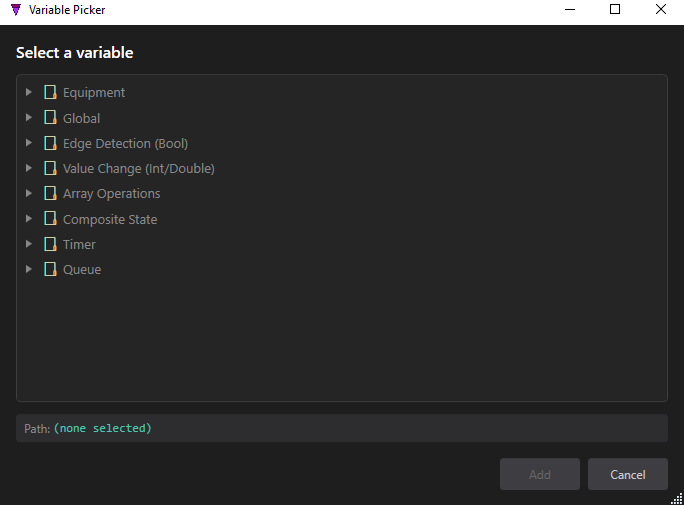
| Category | What it inserts |
|---|---|
| Equipment | An interface signal of an equipment, e.g. Motor.IMotor.Running (drill in Equipment → Interface → Variable). |
| Global | A project global variable, e.g. Global.Temperature. |
| Edge Detection (Bool) | Rising Edge R_TRIG and Falling Edge F_TRIG on a Bool signal. |
| Value Change (Int/Double) | RISE, FALL, CHANGE on a numeric signal. |
| Array Operations | ALL, ANY, NONE over an array compared to a value. |
| Composite State | IN_STATE — is a composite in a given state. |
| Timer | A timer's Done flag. |
| Queue | QUEUE_EMPTY, QUEUE_FULL, QUEUE_OK, QUEUE_OVERFLOW. |
Equipment & globals side by side
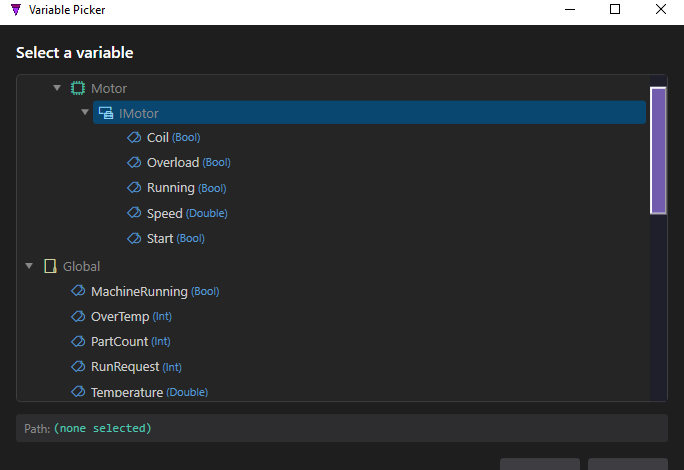
Expanded, the picker shows each equipment's signals with their types, and every global. Bool signals are stand-alone terms; numeric signals (Double/Int) become comparisons.
Placeholder functions
The Edge Detection and Value Change categories insert placeholder terms — a rising edge, a falling edge, a value change — whose concrete signal is chosen when you use the condition in a composite. More on these in Placeholders.
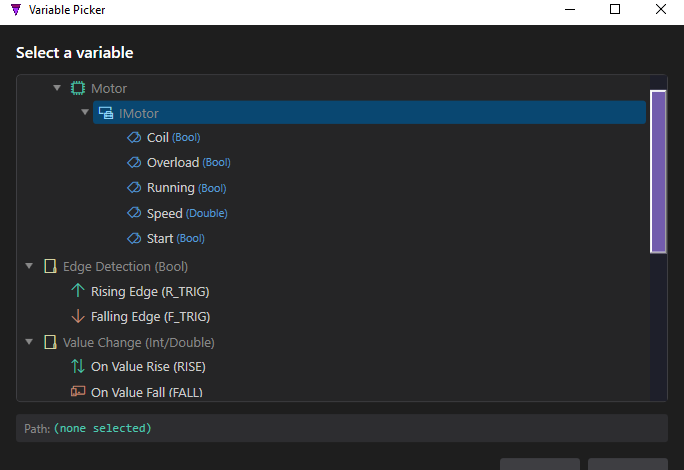
Pick a leaf, confirm the Path at the bottom, and click Add — the term drops into the IF expression.