
Interfaces in StateTick
An interface is a reusable, named group of variables that describes one kind of device — the signal template for a motor, a valve, a sensor. Define it once, then build any number of pieces of equipment from it. This tutorial covers what an interface is, the naming convention, and exactly how to build one.
What is an interface?
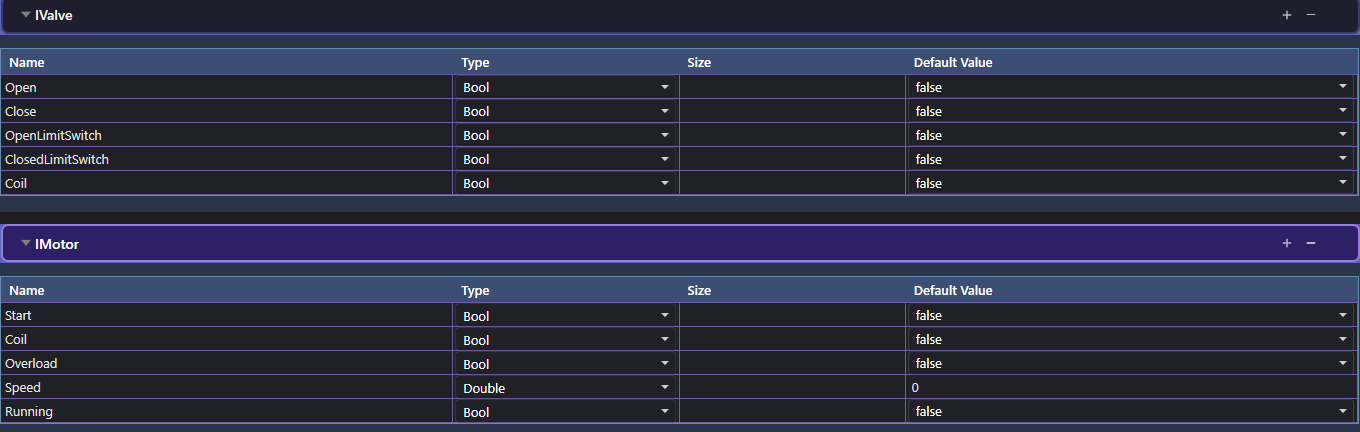
An interface is a named collection of variables that together describe the signals of one type of device. Think of it as a template: IMotor declares that every motor has a Start command, a Coil output, an Overload fault, a Speed reading and a Running status. You define that shape once and reuse it.
This is the key difference from a global variable. A global is a single project-wide value. An interface is a reusable group — it is not a live value on its own; it is the blueprint you instantiate as equipment (a concrete Motor, a concrete Valve).
Naming convention: give interfaces an I prefix — IMotor, IValve, ISensor. The equipment built from them drops the I: IMotor → Motor, IValve → Valve. It keeps the template and the thing instantly distinguishable.
Interfaces live on the Generic Composer → Interface Variables page. In the left sidebar, expand Generic Composer and select Interface Variables from the page list (highlighted below).
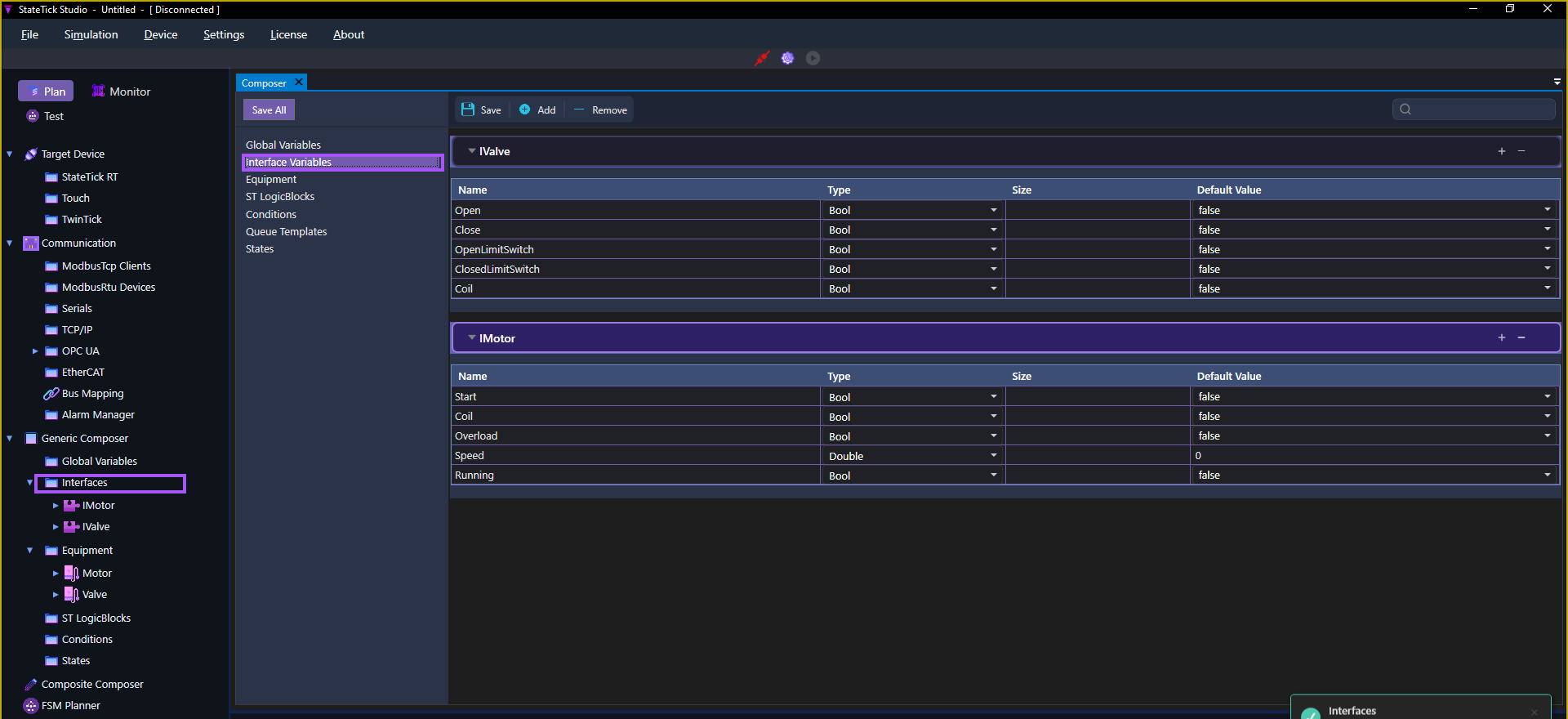
Each interface is its own collapsible section with the same four columns as globals: Name, Type, Size and Default Value.
Variable types
Interface variables use the same 16 types as globals — scalars (Bool, Int, Double, String, Time), arrays, maps, and Record. For the full breakdown, see the Global Variables tutorial. In practice most device signals are Bool (commands, coils, limit switches, status) with the occasional Double (a speed, a temperature).
How to create an interface
We will build IMotor, the interface every motor shares:
- Open Generic Composer → Interface Variables in the left sidebar.
- Click + Add to create a new interface section and name it — start with
I, e.g.IMotor. - Inside the section, add a row per signal. Set each row's Name, Type and Default Value:
Start—Bool, defaultfalseCoil—Bool, defaultfalseOverload—Bool, defaultfalseSpeed—Double, default0Running—Bool, defaultfalse
- Add another interface for the next device type. For example
IValve:Open,Close,OpenLimitSwitch,ClosedLimitSwitchandCoil— allBool. - Click Save (or Save All).
Next: turn the interface into equipment
An interface on its own is just a shape. To get a usable device you build equipment from it — a named Motor composed of IMotor, a named Valve composed of IValve. That is the next step: Equipment in StateTick.
Try it in StateTick
Model your devices once as interfaces, then reuse them across every machine you build.
Get Started →