
ST Logic Blocks in StateTick
An ST Logic Block is a reusable routine written in Structured Text Lite (a focused subset of the ST language) that runs every scan and drives your machine's behaviour. This guide starts with the essentials, then breaks the topic into focused pages you can work through in order.
What is an ST Logic Block?
An ST Logic Block is a named piece of Structured Text with typed parameters and an ST body. The body reads and writes global variables, equipment signals and its own parameters, and it executes on every runtime tick. Like an interface, a block is a reusable template: author it once in the Generic Composer, then instantiate it against real equipment inside a composite.
Blocks live on the Generic Composer → ST LogicBlocks page. Expand Generic Composer in the left sidebar and select ST LogicBlocks (highlighted below).
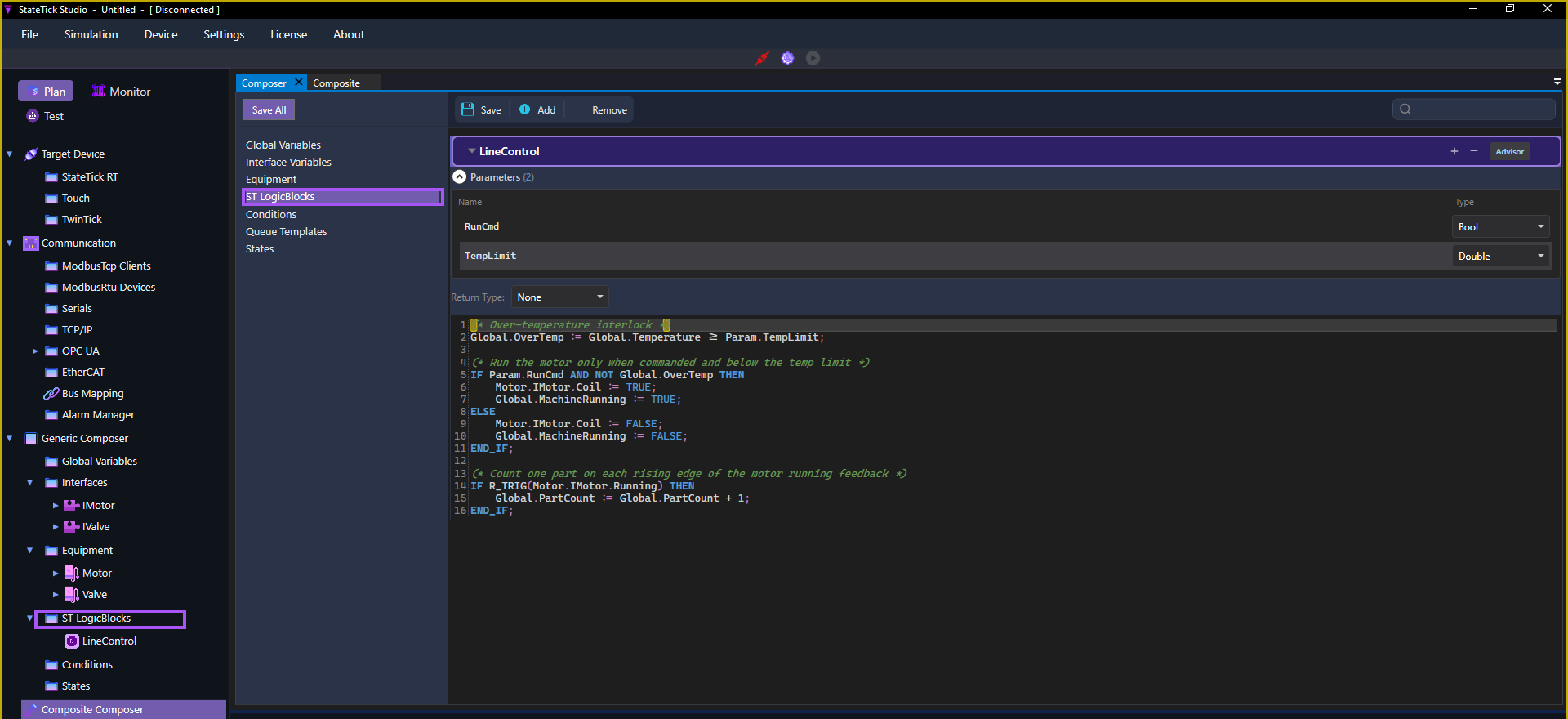
The block editor
Each block is a section with a Parameters list, the ST code body (with live syntax highlighting), and an Advisor button. The Errors / Warnings badges at the bottom validate the block as you type.
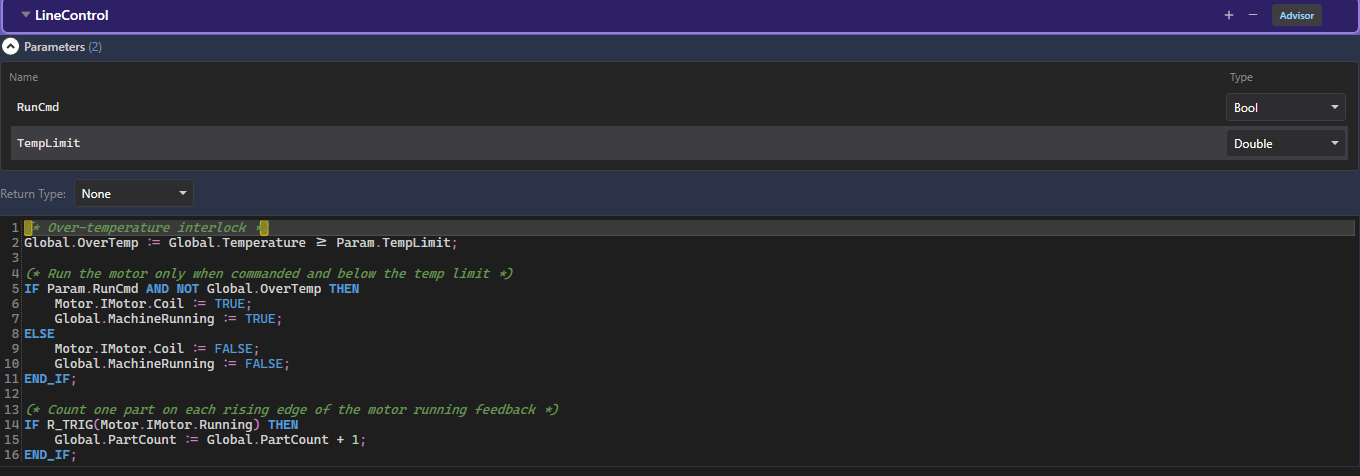
LineControl block: two parameters and a syntax-highlighted ST body.This guide, page by page
Each page is short and focused, with a complete mini example:
Parameters →
The typed inputs that let one block behave differently each time it's used.
Globals →
Share state across the whole machine with project global variables.
Using Equipment →
Read and write a device's signals through dotted equipment paths.
Assignment →
The := operator: what you can write to, and evaluation order.
Arithmetic →
Computing with + - * /, integers vs doubles, and precedence.
Control Flow →
Comparisons, IF and FOR, each with a small, complete example.
The Code Advisor →
The built-in functions and paths the Advisor inserts for you.
Composite Instances →
Instantiate a block and assign its references to real hardware.
Full Example →
The whole flow end to end: globals → equipment → ST block → composite.
Try it in StateTick
Write your control logic once as an ST block, validate it live, then reuse it across every machine in your factory.
Get Started →