
Logic Block Actions
A logic block action runs one of your ST Logic Blocks from inside a state — Logic.Execute('BlockName'). It is how a state hands off to structured-text logic every scan.
The dialog
Add → Logic Block Action lists your logic blocks with their signatures. Pick one — here LineControl(RunCmd: Bool, TempLimit: Double) — and the Result becomes the execute call:
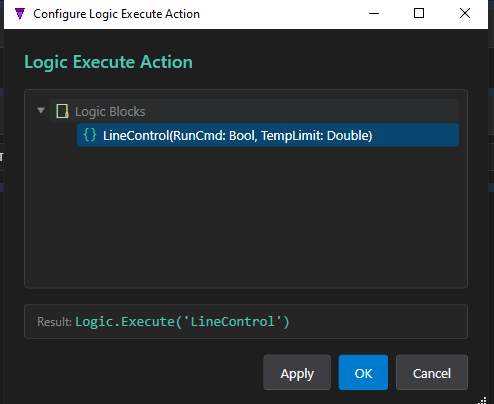
Logic.Execute('LineControl').Logic.Execute('LineControl')
New to logic blocks? ST Logic Blocks are reusable structured-text routines with typed parameters, equipment/global bindings and a live code advisor. The whole authoring flow — parameters, assignment, arithmetic, control flow — is covered in the ST Logic Blocks tutorial. Start with the overview, then parameters.
By name, not by value
The state action stores only the block's name. It does not carry parameter values. The block's parameters — and its equipment / global / timer / condition bindings — are configured on the logic block instance in the composite, exactly as in the ST Logic Blocks → Composite Instances page. The state action just points at which block to run.
Binding to an instance in the composite
When you map the state in a composite, the LineControl reference is bound to a specific logic-block instance. StateTick rewrites the call to name the instance:
// generic state action
Logic.Execute('LineControl')
// after mapping LineControl -> the Line1 instance
Logic.Execute('LineControl', Instance:='Line1')
So the state says “run the LineControl logic”, and the composite decides which configured instance of that block actually runs. See Composite Mapping for the full picture.