
Equipment in StateTick
Equipment is a named device — a Motor, a Valve — built by composing one or more interfaces. Where an interface is the template, equipment is the concrete thing you place in a machine. It is also the essential building block of the Composite Composer.
What is equipment?
A piece of equipment is a named component assembled from one or more interfaces. The interface IMotor declares the signals a motor has; the equipment Motor is an actual motor that has those signals. Equipment can combine several interfaces — a motor with both a control interface and a diagnostics interface, for example.
Prerequisite: interfaces must be created and saved first. Equipment references interfaces by name, so IMotor and IValve have to exist on the Interface Variables page before you can build Motor and Valve from them. If you have not built them yet, start with the Interfaces tutorial.
Equipment lives on the Generic Composer → Equipment page. In the left sidebar, expand Generic Composer and select Equipment from the page list (highlighted below).
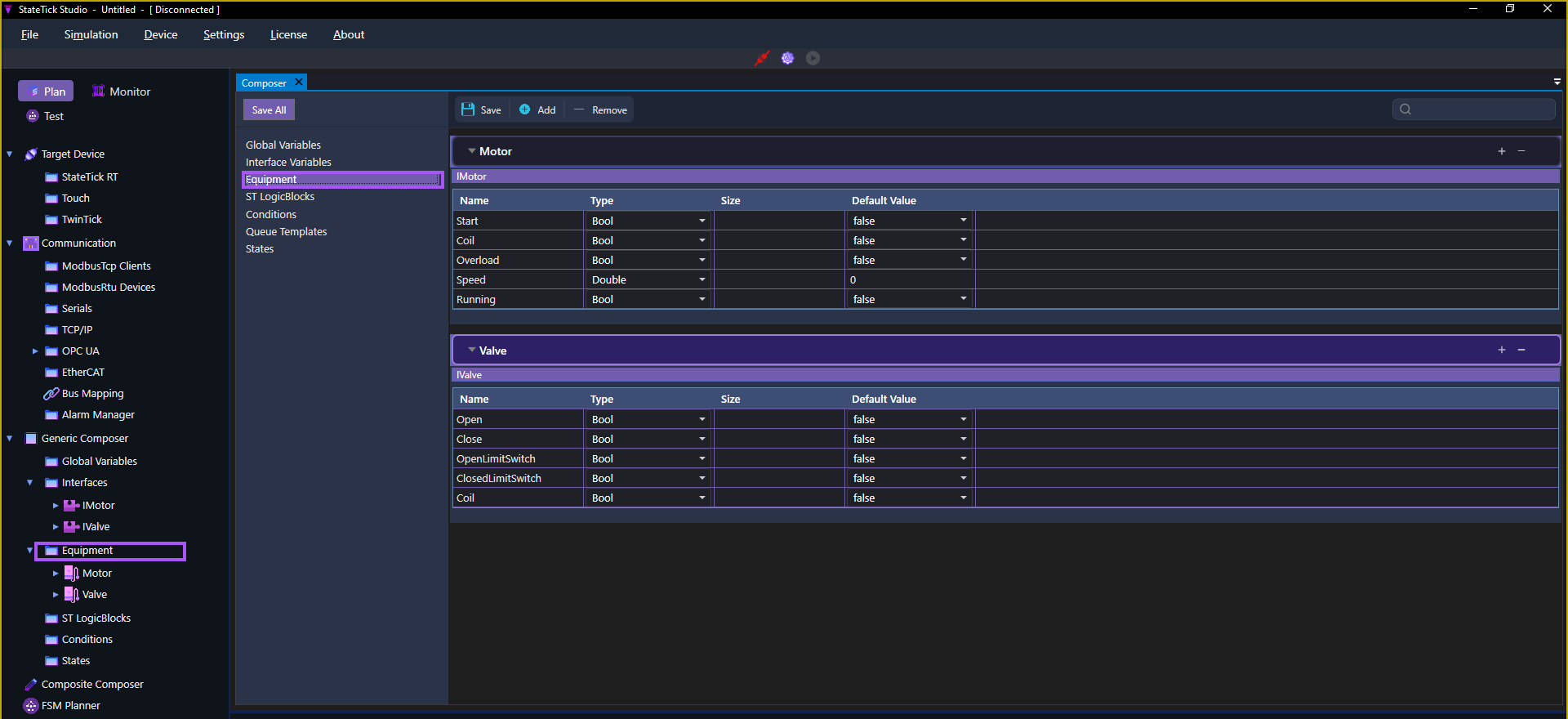
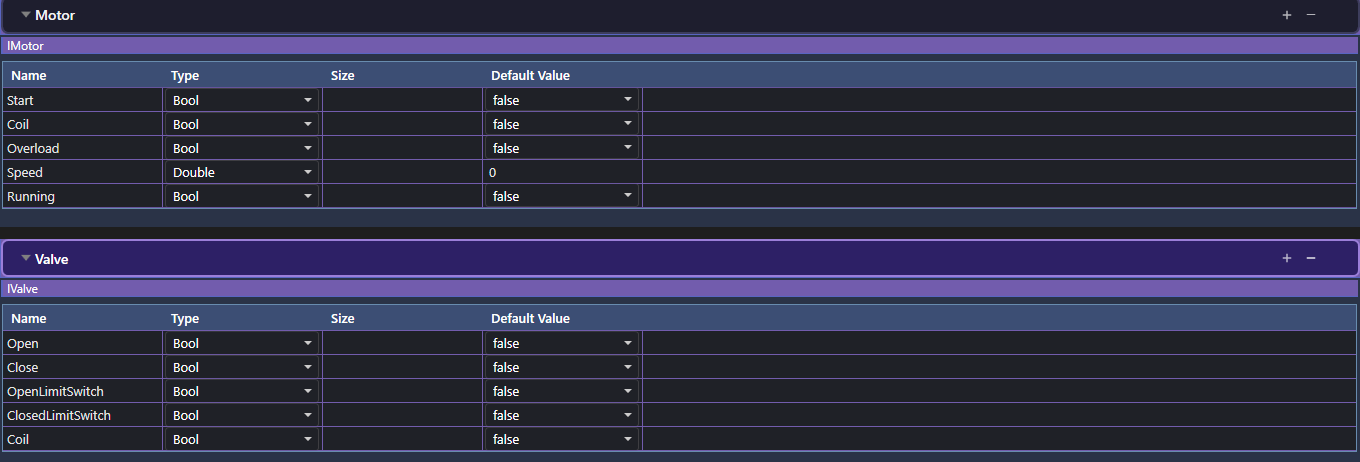
Each piece of equipment is a named section, and under it you see the interface(s) it is composed of, with all their variables laid out in the familiar Name / Type / Size / Default Value grid.
Essential to the Composite Composer
Equipment is not only a Generic Composer concept — it is a core part of the Composite Composer too. When you assemble a larger machine as a composite, the pieces you drop in are equipment. A conveyor line is a set of Motors; a manifold is a set of Valves. Without equipment defined, the Composite Composer has nothing to build with.
Why it matters: the interface → equipment → composite chain is what makes StateTick models reusable. Define a device's signals once (interface), stamp out concrete devices (equipment), and snap those devices together into whole machines (composite).
How to create equipment
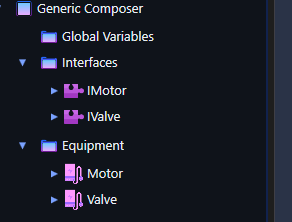
With IMotor and IValve already saved, we will build a Motor and a Valve:
- Open Generic Composer → Equipment in the left sidebar.
- Click + Add to create a new equipment component and name it, e.g.
Motor(drop theIfrom the interface name). - Add the interface(s) it is composed of — here,
IMotor. The equipment expands to show that interface's variables (Start,Coil,Overload,Speed,Running). - Repeat for the next device: add
Valveand compose it fromIValve. - Click Save (or Save All).
Your equipment is now defined and ready to be placed into a composite in the Composite Composer, or bound to control logic elsewhere in the project.
Try it in StateTick
Compose devices from interfaces, then snap them together into complete machines in the Composite Composer.
Get Started →