StateTick
The Intelligent Controller
Deterministic real-time control logic — drawn as state machines, proven by tests before it ever reaches your machine.
Runs on hardware you choose.
One Platform, Three Products
Design the logic, drive the interface, and prove it all works — before a single motor turns.
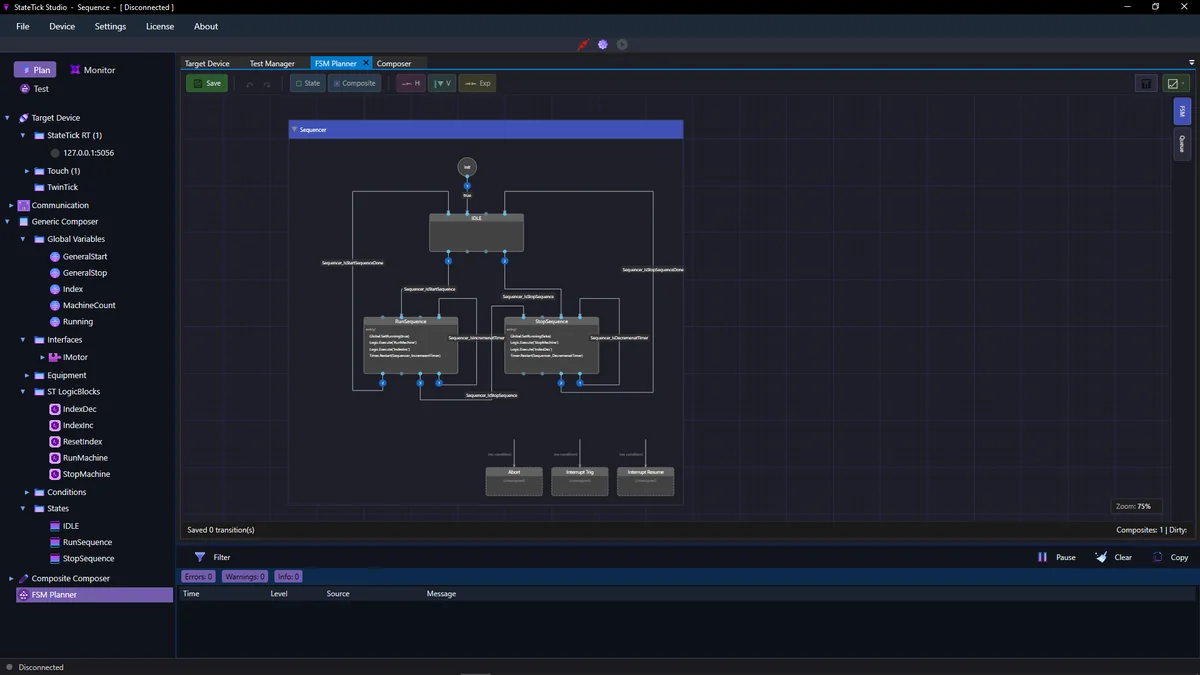
StateTick Studio
Compose your control logic as state machines, monitor every signal live through the built-in waveform monitor, and see each logic action and evaluation logged — building a complete story of how your machine ran.
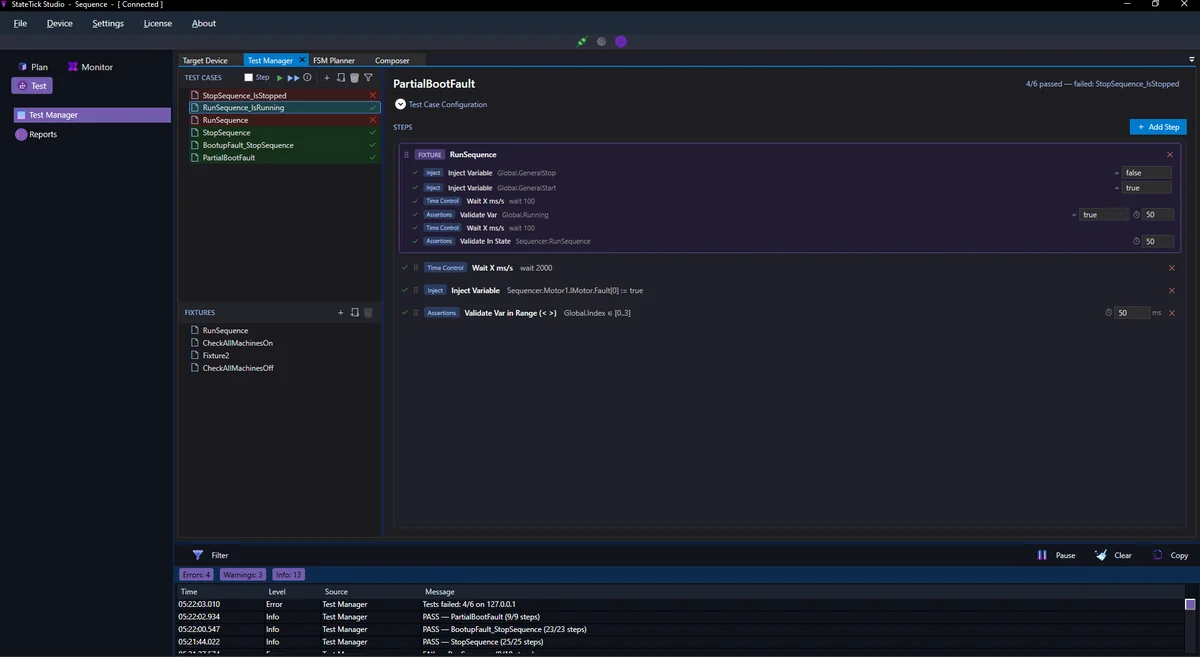
Test Manager
Your control logic should never go untested. Test Manager gives you a native, intuitive way to validate it:
- 1Direct state machine test flows
- 2Test-driven development — write your tests before you write your logic
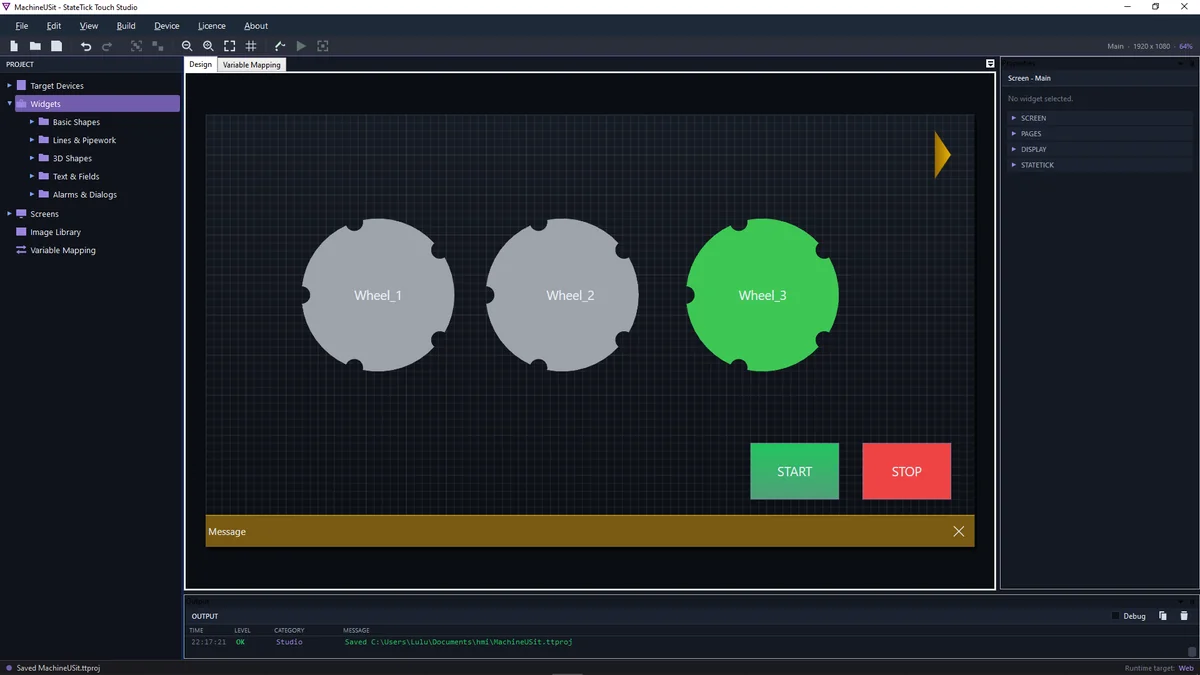
StateTick Touch Studio
An HMI designer that binds natively to the StateTick space. Design and integrate your interface in one seamless flow — without the friction of maintaining separate HMI and control logic toolchains that other vendors force on you.
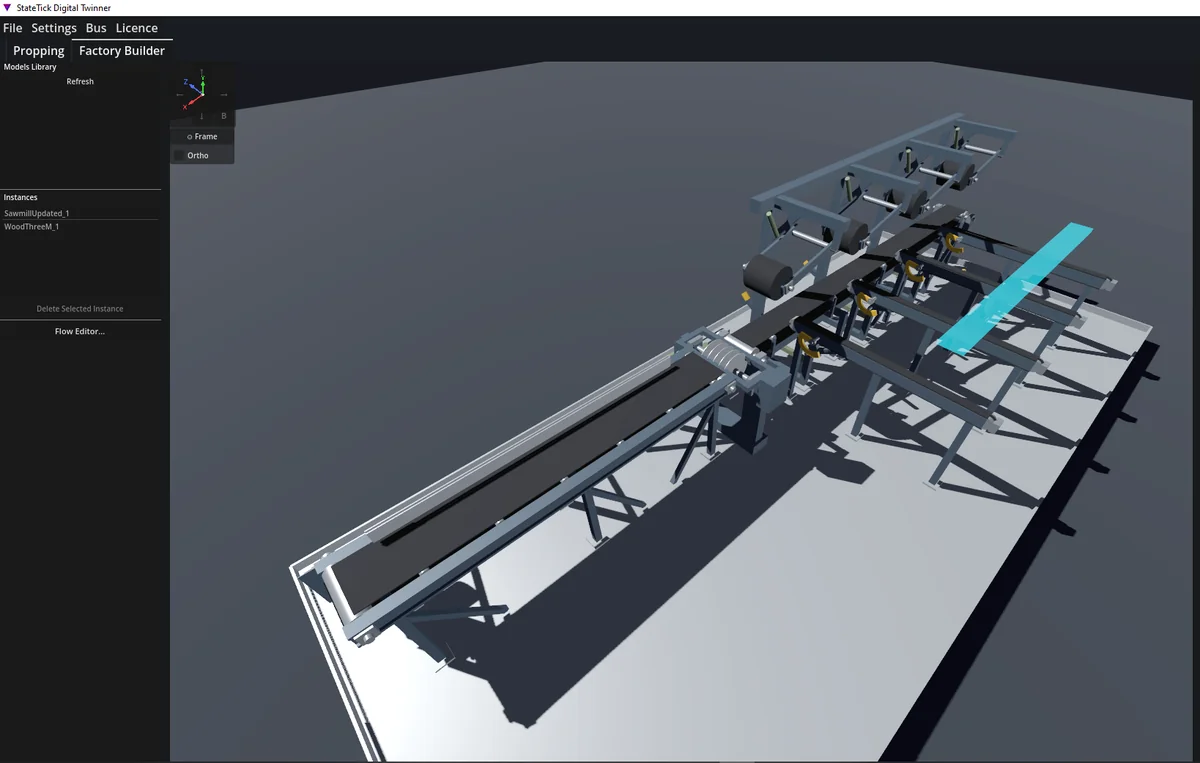
TwinTick Studio
A digital twinning studio, in five steps:
- 1Drop in your 3D model
- 2Assign physical motion to the moving parts only
- 3Define the product that flows through your machine or production line
- 4Link those motions directly to StateTick control logic variables
- 5Watch your machine run — and validate your logic visually
Your Hardware, Your Rules
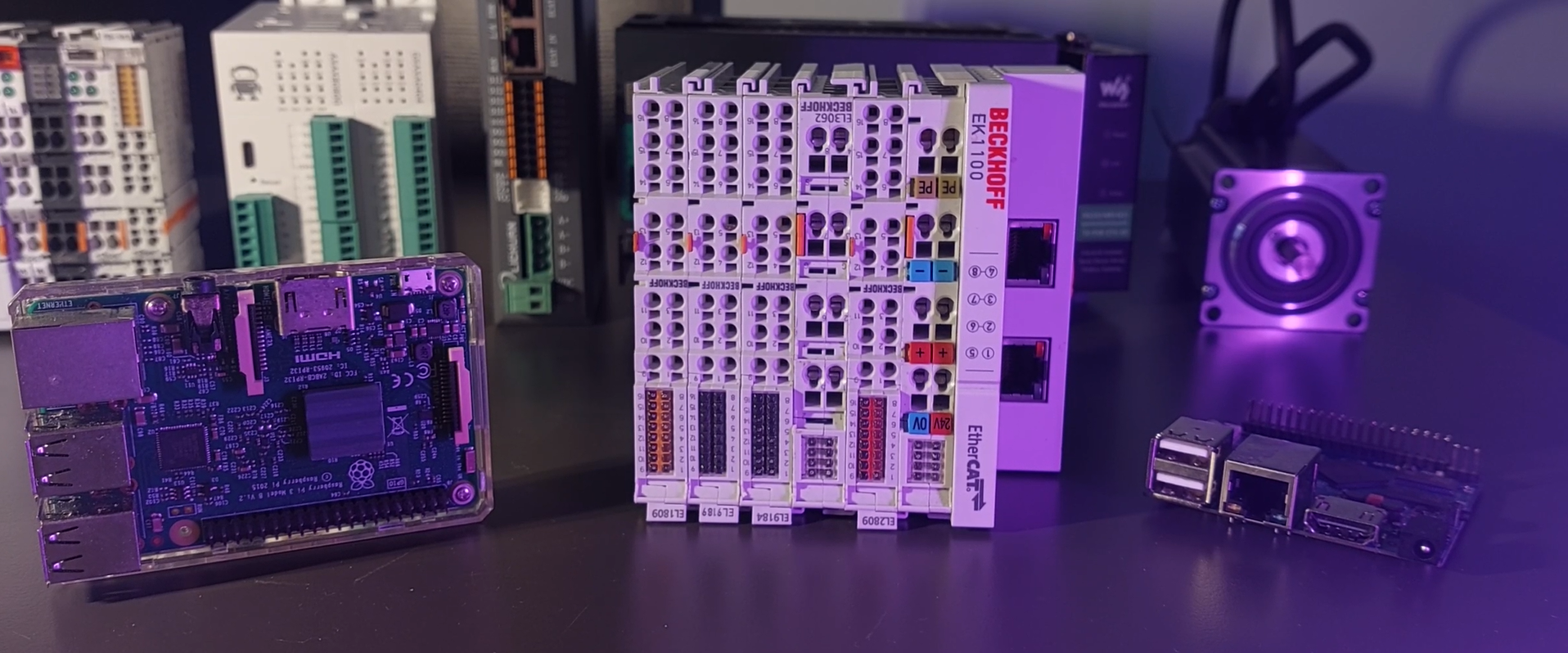
Run the Intelligent Controller Runtime on any Windows or Linux machine — an industrial PC, an edge box, or a single-board computer. Vendor-independent, with no proprietary hardware to buy.
Real-time, tuned to the platform you run
On Linux with a PREEMPT_RT kernel, the runtime takes full advantage of a preemptible scheduler. On Windows and stock Linux kernels it is tuned to hold jitter to a minimum — so the same project deploys to the hardware you already have, without rewriting logic for the platform.
Control Logic You Can Actually See
StateTick replaces ladder and text-based programming with a graphical state machine editor. Draw your states, draw your transitions, and watch them execute live on real hardware.
Live Monitoring
Track your signals over time. Built-in waveform viewer.
What you get with StateTick
Describe the machine once. Everything below follows from that.
Visual Debugging
See exactly what's happening. Watch states change in real-time.
Instant Deploy
Click deploy and you're running. No compile waits.
Test Before Deploy
Run the suite after every change. See which transitions were never tried.
Parallel Processes
Run multiple state machines together. Model real machines.
Built-in Analytics
Track performance from day one. Know how your machines run.
A Clock Per Machine
Each machine runs on its own thread, at the cycle time its job needs.
How You'll Work
Design, deploy, and prove it works. There is more than one way in — pick the path that fits how your team already builds.
Straight to Device
Design your control logic in StateTick and deploy it to the device.
Validate, Then Deploy
Design your logic, validate it against test cases in Test Manager, then deploy with confidence.
Test-Driven Development
Write your validation logic before your control logic. Watch every test case fail, then build until each one passes — high test coverage by construction, not as an afterthought.
Validate Against a Digital Twin
Write your test logic, prepare your 3D model in TwinTick, then watch your control logic drive the model directly.
Add Your HMI — At Any Stage
Whichever path you take, you can integrate your HMI with Touch Studio at any point along the way.
Frequently Asked Questions
Everything you need to know before you start building.
Read the documentation
Everything StateTick does, written down.
Fifteen articles and a set of tutorials covering the controller, the structured variable space, testing, diagnostics, version control, the HMI and the digital twin.